You can interact with the Midjourney Bot on Discord. The Midjourney server has channels for collaboration, technical and billing support, official announcements, feedback, and discussion. The community supports, encourages, and is eager to share its knowledge with users who are just starting out.
Discord on the Go: https://discord.gg/midjourney
Discord Interface


Image Grid
The /imagine command generates a grid of low-resolution image options based on your prompt. Use the buttons under each image grid to create variations of the images, upscale images, or rerun the last Midjourney Bot action.


Direct Messages
If the #general or #newbie channels are moving too fast, Midjourney subscribers can work one-on-one with the Midjourney Bot in Discord Direct Messages.
Emoji Reactions
Use different emoji to react to Midjourney Jobs to send images to your direct messages, cancel an in-progress job, or delete images.
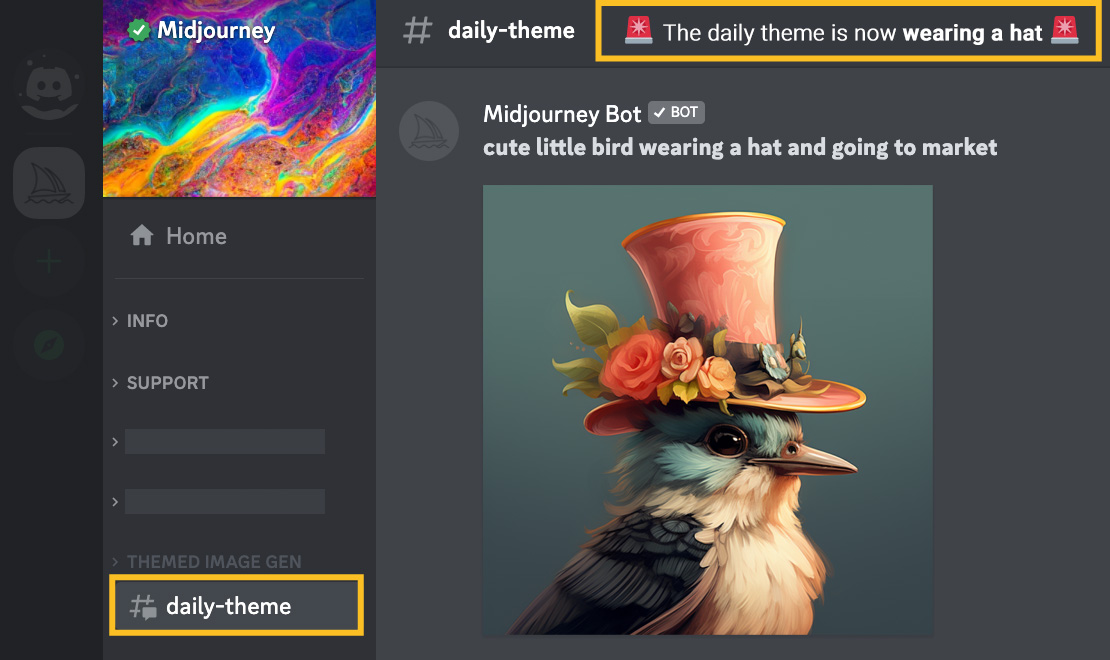
Daily Theme Channel
Take part in fun themed group image generation events in the #daily-theme channel. Look next to the channel name for the day's theme. All generated images must include the day's keyword.
 |


 |NIUBOYI
( 京ICP备17025393号 )|网站地图
|NIUBOYI
( 京ICP备17025393号 )|网站地图