Once an initial image grid is generated, two rows of buttons appear below the image grid, and we use these two rows of buttons for image adjustments and variations.
U1 U2 U3 U4 Image Selection
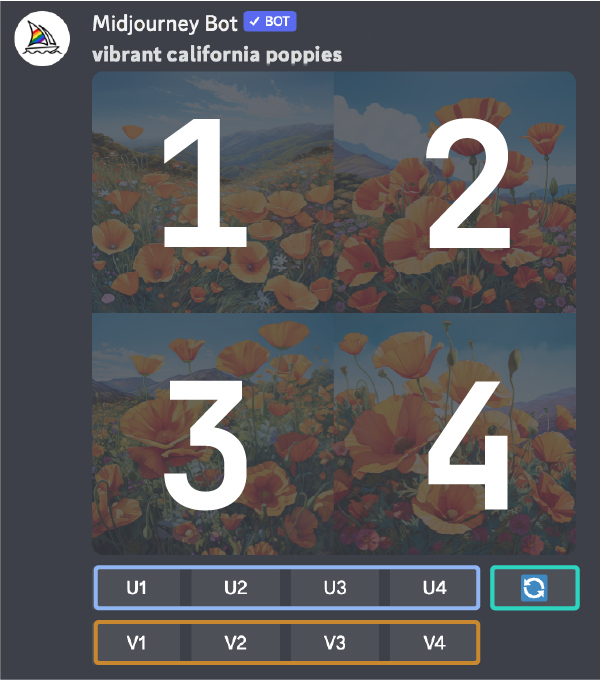
(Image of the Midjourney Discord button interface after generating an image grid)
In earlier versions of Midjourney, the U buttons were used to upscale images. With the latest models, images are generated immediately at 1024 x 1024 pixels. Now, the "U" buttons help you separate the selected image from the grid, making it easier to download and giving you access to other editing and generation tools.
🔄 Rerun or Reroll a Job
The 🔄 button reruns the job. In this case, it reruns the original prompt and generates a new image grid.
V1 V2 V3 V4 Image Variations
These V buttons are used to create variations of the selected image. Each button generates a new image grid that retains the general style and composition of the selected image. |


 |NIUBOYI
( 京ICP备17025393号 )|网站地图
|NIUBOYI
( 京ICP备17025393号 )|网站地图