To start interacting with the Midjourney Bot, please join the Midjourney server.
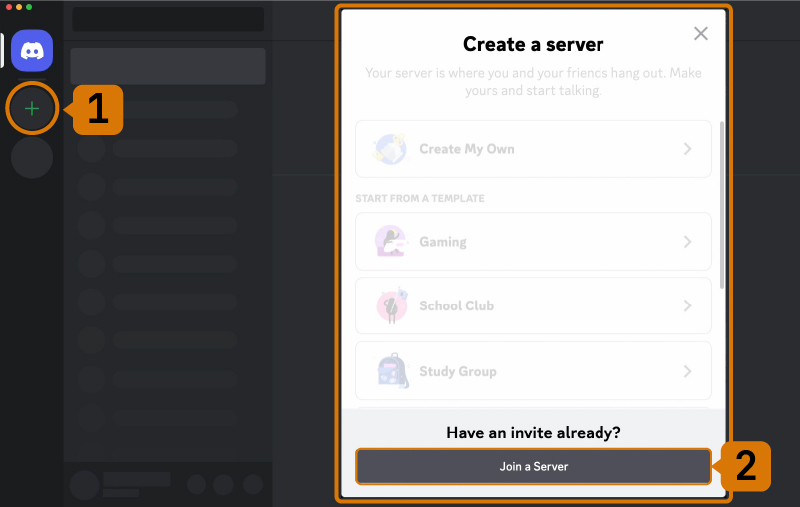
Open Discord and find the server list in the left sidebar.
Press the + button at the bottom of the server list.
In the window that pops up, click the Join a Server button.
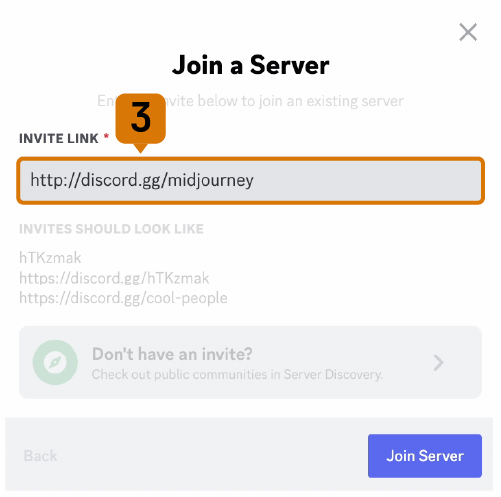
Paste or enter the following URL: http://discord.gg/midjourney and press Join.


 |NIUBOYI
( 京ICP备17025393号 )|网站地图
|NIUBOYI
( 京ICP备17025393号 )|网站地图