A prompt is a short text phrase that the Midjourney Bot interprets to generate an image. The Midjourney Bot breaks down the words and phrases in a prompt into smaller parts (called tokens) and compares them with its training data, which is then used to generate an image. Carefully crafted prompts can help create unique and exciting images.
[baike]Basic Prompts[/baike]A basic prompt can be as simple as a single word, phrase, or emoji 😊.
Prompting Tips!
The Midjourney Bot works best with simple, short phrases that describe what you want to see. Avoid long lists of requests and instructions. Don't: Show me a photo of a blooming Chinese rose, draw them in bright, vivid orange, and then draw it in colored pencil in an illustration style. Try: Draw bright orange California roses with colored pencils
[baike]Advanced Prompts[/baike]More advanced prompts can include one or more image URLs, multiple text phrases, and one or more parameters

Image Prompts
Image URLs can be added to a prompt to influence the style and content of the final result. Image URLs always go at the very beginning of the prompt.
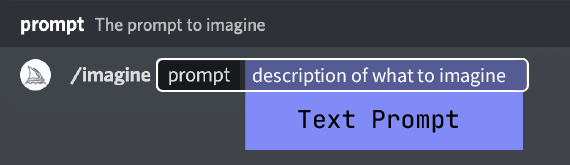
Text Prompt
The text description of the image you want to generate. See the prompt information and prompts below. Well-written prompts help generate stunning images.
Parameters
Parameters change how the image is generated. Parameters can change aspect ratio, model, upscaler, and more. Parameters go at the end of the prompt.
[baike]Prompting Techniques[/baike]
Word Choice
Word choice matters. In many cases, more specific synonyms work better. Instead of big, try tiny, huge, gigantic, enlarge, or infinite.
Plurals and Collective Nouns
There is a lot of uncertainty around using plural words. Try using specific numbers. “Three cats” is more specific than “cats.” Collective nouns also work, for example “a flock of birds” instead of “birds.”
Focus on What You Want
It is better to describe what you want rather than what you do not want. If you ask for a “party without cake,” there may be a cake in your image. To ensure there is no object in the final image, try using the advanced --no prompt parameter.
Prompt Length and Detail
Prompts can be very simple. A single word or emoji is enough. However, short prompts rely on Midjourney's default style, allowing it to creatively fill in any unspecified details. Include any elements that are important to you in the prompt. The less detail, the greater the variety, but the less control.
Be as explicit as possible about the context or details that matter to you. Think about:
·Subject: people, animals, characters, locations, objects
·Medium: photo, painting, illustration, sculpture, graffiti, tapestry
·Environment: indoors, outdoors, on the moon, underwater, in a city
·Lighting: soft, ambient, overcast, neon, studio lights
·Color: vibrant, soft, bright, monochromatic, colorful, black and white, pastel
·Mood: steady, calm, noisy, energetic
·Composition: portrait, headshot, close-up, bird's-eye view
[baike]Create Personalized Prompts[/baike]
Even short word prompts will produce beautiful images in Midjourney'sdefault style, so you can create more interesting personalized results by combining elements such as medium, era, location, and scene. Below are the relevant commands and examples.
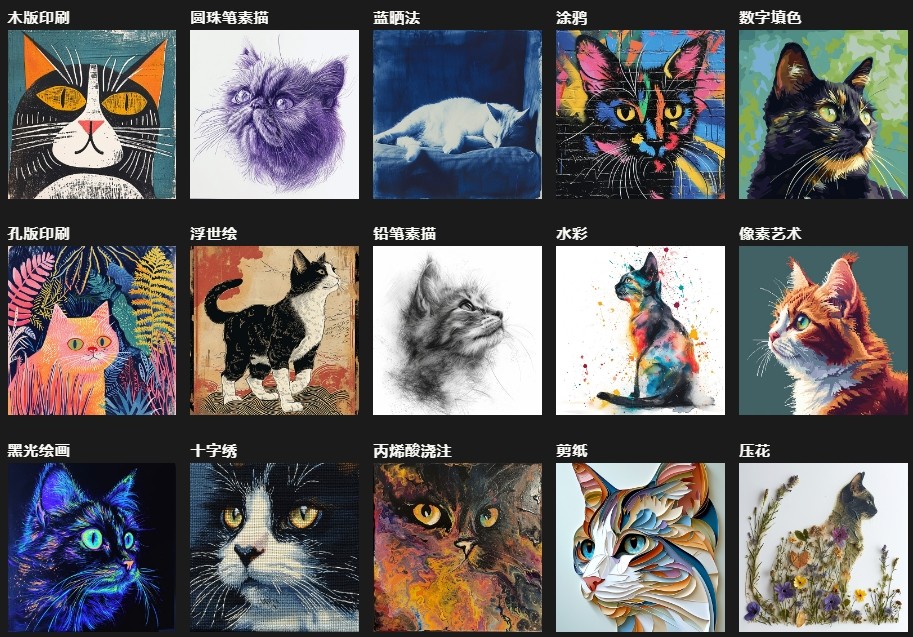
Medium
Get out paints, crayons, scratchboard, printing press, glitter, ink, and colored paper. One of the best ways to create a stylish image is to specify an art medium.
Prompt example: /imagine prompt <any art style> style cat
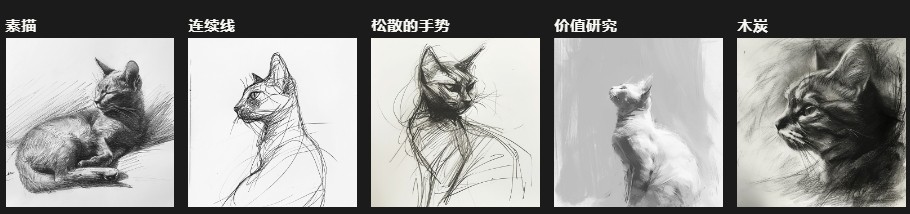
Be Specific
More precise words and phrases will help create an image with exactly the right look and feel.
Prompt example: /imagine prompt <style> sketch of a cat
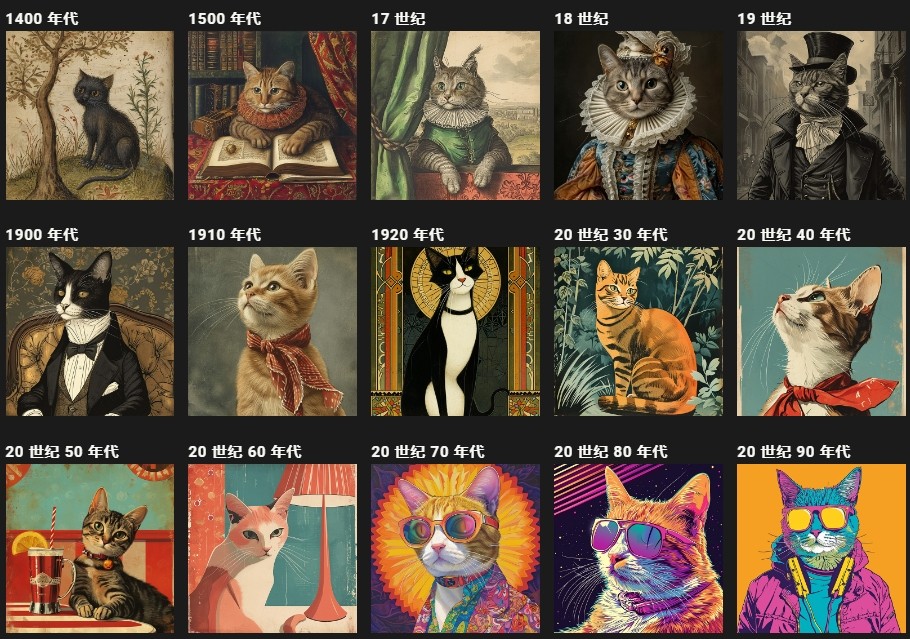
Time Period
Different eras have different visual styles.
Prompt example: /imagine prompt an illustration of a <time period> cat
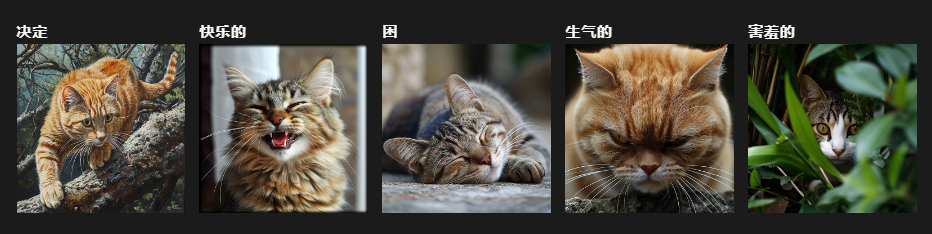
Emotion and Expression
Use emotion words to give characters personality.
Prompt example: /imagine prompt <emotion> cat
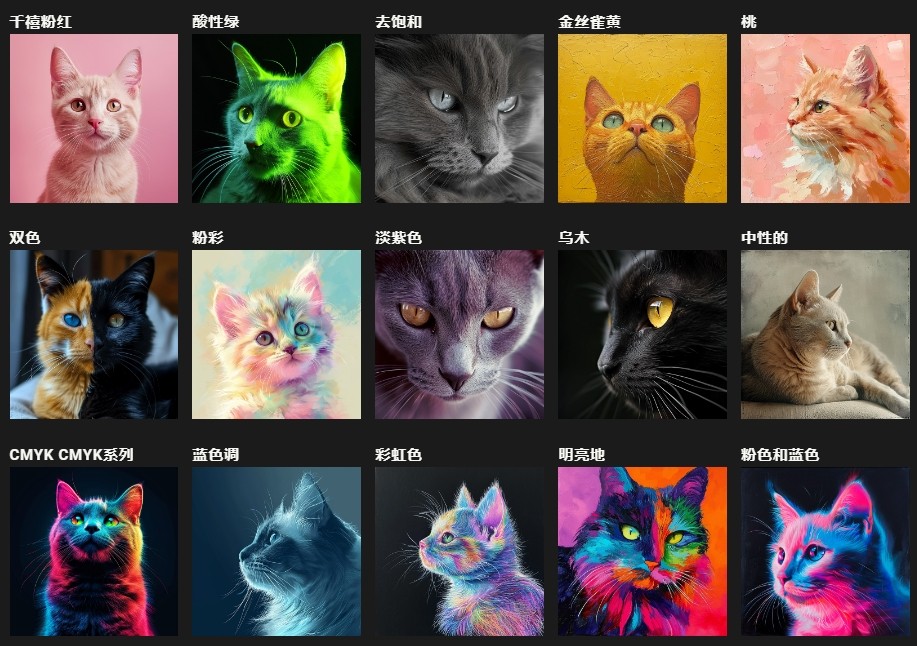
Color Palette
All kinds of possibilities.
Prompt example: /imagine prompt <color word> colored cat
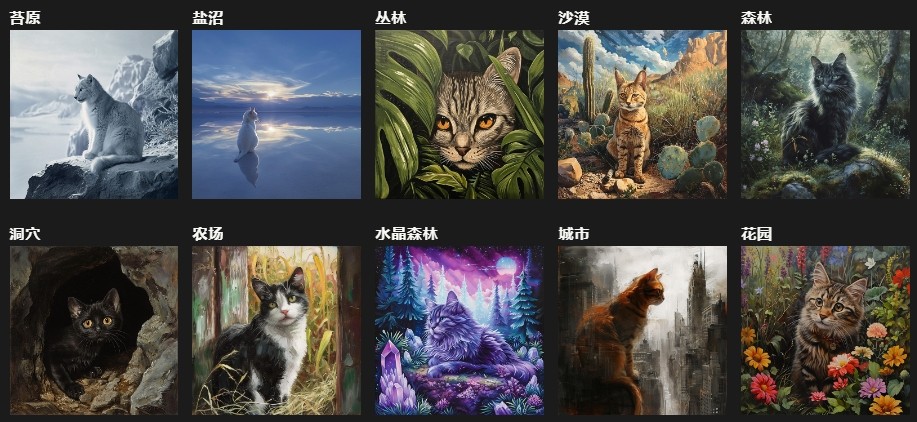
Environmental Setting
Different environments can create unique atmospheres.
Prompt example: /imagine prompt <location> cat
[baike]Command Reference[/baike]
/ask
Get answers to questions.
/blend
Easily blend two images together.
/daily_theme
Toggle notification pings for updates in the #daily-theme channel
/describe
Write four example prompts based on an image you upload.
/docs
Use in the official Midjourney Discord server to quickly generate links to topics covered in this user guide!
/fast
Switch to Fast mode.
/feedback
Submit suggestions and ideas about Midjourney, and rate other people's ideas.
/faq
Use in the official Midjourney Discord server to quickly generate links to FAQs for the popular prompt-crafting channel.
/help
Show helpful basic information and tips about the Midjourney Bot.
/imagine
Generate an image using a prompt
/info
View information about your account and any queued or running jobs.
/invite
Get an invite link to the Midjourney Discord server.
/list_tuners
Generate a list of all Style Tuners you have created.
/prefer option set
Create or manage custom options.
/prefer option list
View your current custom options.
/prefer remix
Toggle Remix mode.
/prefer suffix
Specify a suffix to add to the end of every prompt.
/prefer variability
Use the V1, V2, V3, and V4 buttons below the image grid to switch between high and low variation.
/public
For Pro Plan subscribers: switch to Public mode
/relax
Switch to Relax mode.
/settings
View and adjust Midjourney Bot settings
/stealth
For Pro Plan subscribers: switch to Stealth mode
/shorten
Submit a long prompt and receive suggestions on how to make it more concise.
/show
Regenerate a job in Discord using an image job ID.
/subscribe
Generate a personal link to the user's account page.
/synonyms
Use in the official Midjourney Discord server to explore related words and phrases to try in prompts.
/tune
Generate a Style Tuner based on your prompt. Style Tuner lets you craft your own Midjourney style and customize the look of your work.
/turbo
Switch to Turbo mode.
/userid
Get your Midjourney user ID |


 |NIUBOYI
( 京ICP备17025393号 )|网站地图
|NIUBOYI
( 京ICP备17025393号 )|网站地图